Designing AI is Designing for Uncertainty
Designing AI is Designing for Uncertainty
Designing AI is Designing for Uncertainty
TEAM
TEAM
Product Manager
Stakeholders
Engineers
QA
Data / AI team
1 Product Designer (👨🏻💻)
Product Manager
Stakeholders
Engineers
QA
Data / AI team
1 Product Designer (👨🏻💻)
Product Manager
Stakeholders
Engineers
QA
Data / AI team
1 Product Designer (👨🏻💻)
YEAR
YEAR
2025-2026
2025-2026
2025-2026
INDUSTRIES
INDUSTRIES
Creative Intelligence /
Generative AI.
Game Advertising
Performance Marketing
Enterprise B2B SaaS
Creative Intelligence /
Generative AI.
Game Advertising
Performance Marketing
Enterprise B2B SaaS
Creative Intelligence /
Generative AI.
Game Advertising
Performance Marketing
Enterprise B2B SaaS
PLATFORM
PLATFORM
AI-powered
web application
AI-powered
web application
AI-powered
web application
At Reforged Labs, I worked on Boa & Pounce, an AI creative intelligence product for large gaming companies.
I designed multiple AI-powered features across the product. This case shows how I turned fragmented AI outputs in Creative Inbox into a clearer decision workflow, while keeping human judgment in control.
At Reforged Labs, I worked on Boa & Pounce, an AI creative intelligence product for large gaming companies.
I designed multiple AI-powered features across the product. This case shows how I turned fragmented AI outputs in Creative Inbox into a clearer decision workflow, while keeping human judgment in control.
At Reforged Labs, I worked on Boa & Pounce, an AI creative intelligence product for large gaming companies.
I designed multiple AI-powered features across the product. This case shows how I turned fragmented AI outputs in Creative Inbox into a clearer decision workflow, while keeping human judgment in control.
TARGET USERS
TARGET USERS
Enterprise game teams and stakeholders who rely on AI-generated insights to inform creative decisions.
Enterprise game teams and stakeholders who rely on AI-generated insights to inform creative decisions.
Enterprise game teams and stakeholders who rely on AI-generated insights to inform creative decisions.
CHALLENGE
CHALLENGE
Boa could generate creative recommendations quickly. But generating more output was not the same as helping users make better decisions.
Boa could generate creative recommendations quickly. But generating more output was not the same as helping users make better decisions.
Boa could generate creative recommendations quickly. But generating more output was not the same as helping users make better decisions.
MY
CONTRIBUTION
MY
CONTRIBUTION
I led the end-to-end design for Creative Inbox and managed the Design System, turning fragmented feedback and unpredictable AI outputs into a clearer, scalable decision workflow. I used AI to accelerate synthesis, exploration, critique, and prototyping, while keeping problem framing, user outcomes, and key product decisions under human control.
I led the end-to-end design for Creative Inbox and managed the Design System, turning fragmented feedback and unpredictable AI outputs into a clearer, scalable decision workflow. I used AI to accelerate synthesis, exploration, critique, and prototyping, while keeping problem framing, user outcomes, and key product decisions under human control.
I led the end-to-end design for Creative Inbox and managed the Design System, turning fragmented feedback and unpredictable AI outputs into a clearer, scalable decision workflow. I used AI to accelerate synthesis, exploration, critique, and prototyping, while keeping problem framing, user outcomes, and key product decisions under human control.
Core design question
Core design question
Core design question
"How can we help users move from AI output to a confident creative decision?"
"How can we help users move from AI output to a confident creative decision?"
"How can we help users move from AI output to a confident creative decision?"
Decision Framework
Decision Framework
Decision Framework
I needed a way to move fast without treating every new request as a new product pattern. Instead of applying the same process to every problem.
I needed a way to move fast without treating every new request as a new product pattern. Instead of applying the same process to every problem.
I needed a way to move fast without treating every new request as a new product pattern. Instead of applying the same process to every problem.
I used 3 modes depending on how much was known about the problem and how likely the solution was to be reused.
I used 3 modes depending on how much was known about the problem and how likely the solution was to be reused.
I used 3 modes depending on how much was known about the problem and how likely the solution was to be reused.
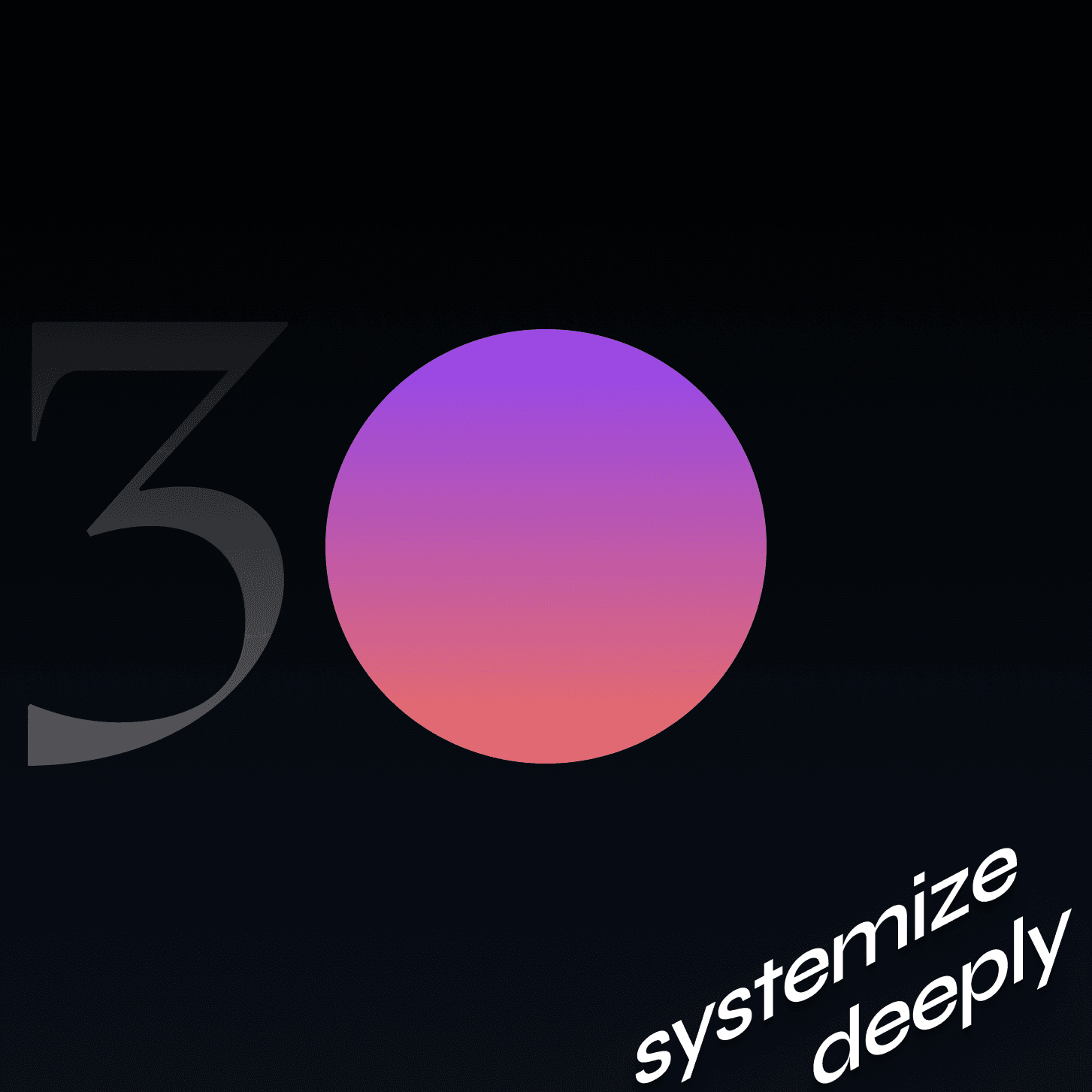
Vibe Fast,
Systemize Deeply
or Hybrid
Vibe Fast,
Systemize Deeply
or Hybrid

The goal was to learn quickly, not to treat early exploration as the final product direction.
The goal was to learn quickly, not to treat early exploration as the final product direction.
The goal was to learn quickly, not to treat early exploration as the final product direction.

Explore quickly first. Systemize once the direction is proven valuable.
Explore quickly first. Systemize once the direction is proven valuable.
Explore quickly first. Systemize once the direction is proven valuable.
Move to systemization after the workflow shows enough value and reuse potential.
Move to systemization after the workflow shows enough value and reuse potential.
Move to systemization after the workflow shows enough value and reuse potential.
AI Workflow
AI Workflow
From ambiguous feedback to a clearer AI Workflow. I used 4 steps.
From ambiguous feedback to a clearer AI Workflow. I used 4 steps.
AI Workflow
From ambiguous feedback to a clearer AI Workflow. I used 4 steps.


What users had to do
here
What users had to do here
What users had to do
here
Read everything → Find the key idea → Check the evidence → Judge its value → Decide what to do next
Read everything → Find the key idea → Check the evidence → Judge its value → Decide what to do next
Read everything → Find the key idea → Check the evidence → Judge its value → Decide what to do next
Boa could generate multiple creative briefs and recommendations, but more AI output did not necessarily help users make better decisions.
And how might we help users quickly understand, evaluate, and act on an AI-generated creative recommendation?
Boa could generate multiple creative briefs and recommendations, but more AI output did not necessarily help users make better decisions.
And how might we help users quickly understand, evaluate, and act on an AI-generated creative recommendation?
Boa could generate multiple creative briefs and recommendations, but more AI output did not necessarily help users make better decisions.
And how might we help users quickly understand, evaluate, and act on an AI-generated creative recommendation?
In the earlier version of the Creative experience. Feedback from clients and internal teams reflected the same underlying issue in different ways: some wanted clearer reasoning, some wanted better references, and others wanted more control over the generated output.
I used AI to synthesize these fragmented inputs, cluster recurring themes, and separate feature requests from the underlying user need.
In the earlier version of the Creative experience. Feedback from clients and internal teams reflected the same underlying issue in different ways: some wanted clearer reasoning, some wanted better references, and others wanted more control over the generated output.
I used AI to synthesize these fragmented inputs, cluster recurring themes, and separate feature requests from the underlying user need.
In the earlier version of the Creative experience. Feedback from clients and internal teams reflected the same underlying issue in different ways: some wanted clearer reasoning, some wanted better references, and others wanted more control over the generated output.
I used AI to synthesize these fragmented inputs, cluster recurring themes, and separate feature requests from the underlying user need.


The goal of this step was not to let AI define the problem for me. AI helped me process messy input faster. I remained responsible for defining the problem and desired outcome.
The goal of this step was not to let AI define the problem for me. AI helped me process messy input faster. I remained responsible for defining the problem and desired outcome.
The goal of this step was not to let AI define the problem for me. AI helped me process messy input faster. I remained responsible for defining the problem and desired outcome.
Step 2: Explore
Design Directions
Step 2: Explore
Design Directions
Step 2: Explore
Design Directions
I used AI as a thinking partner to generate and compare multiple UX directions.
AI helped me expand the solution space quickly. My role was to evaluate which direction best supported the intended user outcome while balancing clarity, scalability, and engineering constraints.
I used AI as a thinking partner to generate and compare multiple UX directions.
AI helped me expand the solution space quickly. My role was to evaluate which direction best supported the intended user outcome while balancing clarity, scalability, and engineering constraints.
I used AI as a thinking partner to generate and compare multiple UX directions.
AI helped me expand the solution space quickly. My role was to evaluate which direction best supported the intended user outcome while balancing clarity, scalability, and engineering constraints.


The selected UX direction was not simply the one that looked the most polished. It needed to help users understand the insight, identify the next action, and still have a path to become a reusable product pattern.
The selected UX direction was not simply the one that looked the most polished. It needed to help users understand the insight, identify the next action, and still have a path to become a reusable product pattern.
The selected UX direction was not simply the one that looked the most polished. It needed to help users understand the insight, identify the next action, and still have a path to become a reusable product pattern.
Step 3: Build
Decision Workflow
Step 3: Build
Decision Workflow
Step 3: Build
Decision Workflow
The selected direction changed Creative Inbox from a place that simply generated briefs into a workflow that helped users understand, evaluate, and act on creative opportunities.
The selected direction changed Creative Inbox from a place that simply generated briefs into a workflow that helped users understand, evaluate, and act on creative opportunities.
The selected direction changed Creative Inbox from a place that simply generated briefs into a workflow
AI Recommendation → Visual Storyboard → Why Boa Selected It → Supporting Reference → Generated Brief → Approve / Reject / Rate
AI Recommendation → Visual Storyboard → Why Boa Selected It → Supporting Reference → Generated Brief → Approve / Reject / Rate
AI Recommendation → Visual Storyboard → Why Boa Selected It → Supporting Reference → Generated Brief → Approve / Reject / Rate
1. Early prototype/Vibe Code
I first used a vibe-code prototype to make the idea tangible and test the workflow quickly.
It helped validate the basic concept, but also exposed an important limitation: the interface could generate and display briefs, but it still did not help users evaluate them efficiently.
I first used a vibe-code prototype to make the idea tangible and test the workflow quickly.
It helped validate the basic concept, but also exposed an important limitation: the interface could generate and display briefs, but it still did not help users evaluate them efficiently.
I first used a vibe-code prototype to make the idea tangible and test the workflow quickly. It helped validate the basic concept, but also exposed an important limitation
Before
Before


What wasn't working: Vibe code have long AI outputs were hard to scan. Reasoning, references, and actions were fragmented, forcing users to connect the dots before making a decision.
What wasn't working: Vibe code have long AI outputs were hard to scan. Reasoning, references, and actions were fragmented, forcing users to connect the dots before making a decision.
What wasn't working: Vibe code have long AI outputs were hard to scan. Reasoning, references, and actions were fragmented, forcing users to connect the dots before making a decision.
UX/UI revamp
"Vibe code" isn't magic.
What I changed for users
New briefs easier to review by surfacing visual previews, concise summaries, temperature levels, and direct Approve / Reject actions upfront.
Each recommendation easier to understand and evaluate by separating the core idea from supporting context, reasoning, and references, while making the next action clear.
Launch V1.0 🚀🚀🚀
"Vibe code" isn't magic.
What I changed for users
New briefs easier to review by surfacing visual previews, concise summaries, temperature levels, and direct Approve / Reject actions upfront.
Each recommendation easier to understand and evaluate by separating the core idea from supporting context, reasoning, and references, while making the next action clear.
Launch V1.0 🚀🚀🚀
"Vibe code" isn't magic.
What I changed for users
New briefs easier to review by surfacing visual previews, concise summaries, temperature levels, and direct Approve / Reject actions upfront.
Each recommendation easier to understand and evaluate by separating the core idea from supporting context, reasoning, and references, while making the next action clear.
Launch V1.0 🚀🚀🚀
After
After


Validated direction / after feedback
After users experienced the version 1.0, I refined the workflow around a clearer evaluation sequence. Instead of asking users to start with a full generated brief, the updated experience progressively revealed the information needed to make a decision.
After users experienced the version 1.0, I refined the workflow around a clearer evaluation sequence. Instead of asking users to start with a full generated brief, the updated experience progressively revealed the information needed to make a decision.
After users experienced the version 1.0 .I refined the workflow around a clearer evaluation sequence. Instead of asking users to start with a full generated brief, the updated experience progressively revealed the information needed to make a decision.
Further
Further


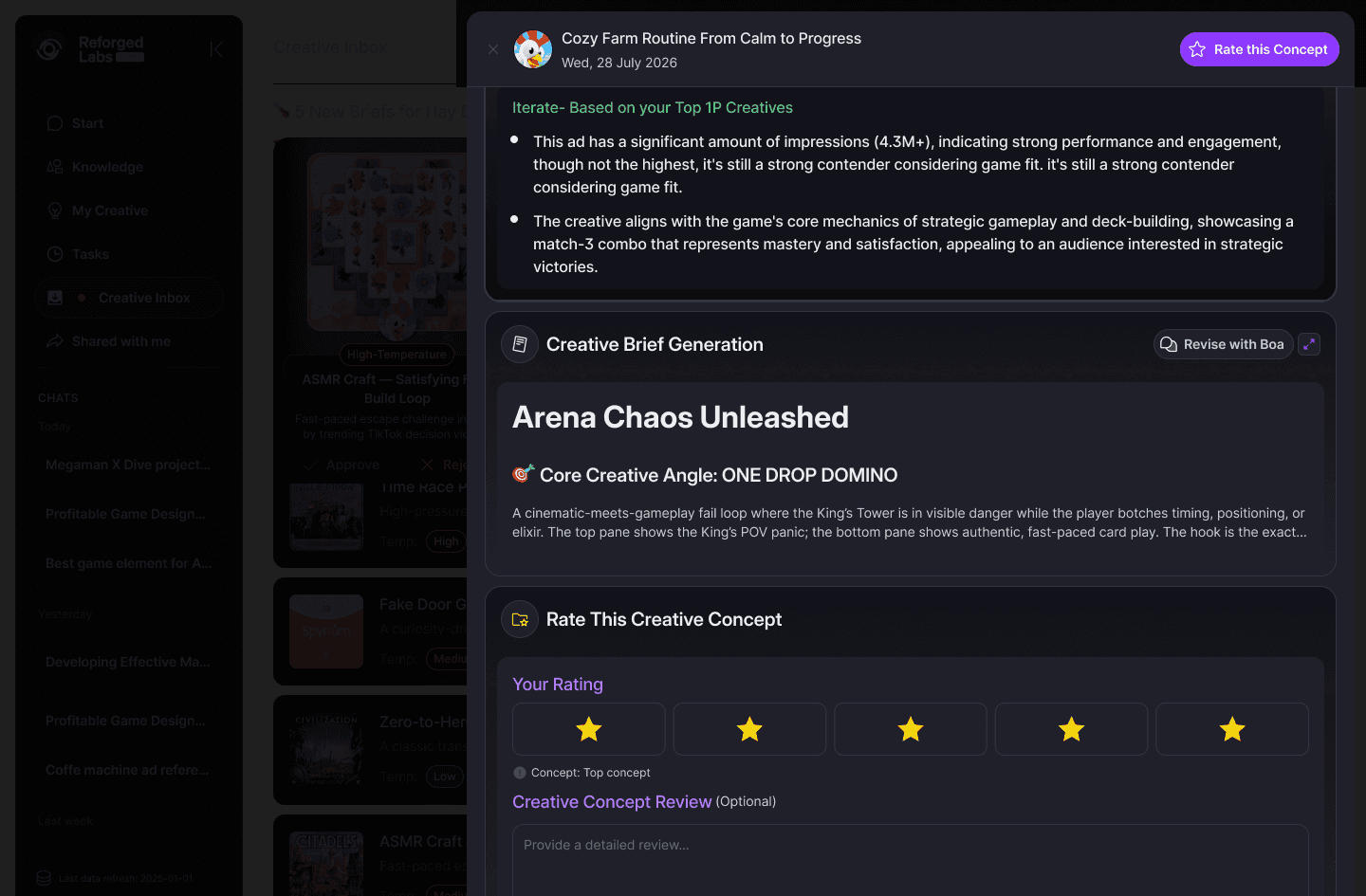
What I changed for users
Focus on the top 3 recommendations first, instead of choosing from a long list of briefs (v1.0). Understand concepts faster through visual storyboards before reading the full brief.
Build trust by explaining why Boa recommended the concept and showing supporting references.
Evaluate more efficiently without processing the entire brief upfront.
Take clear action by rating, rather than simply choosing "reject" or "approve" ensures that the quality of the brief is fully evaluated. While feeding user judgment back into the Boa asking Boa for answers.
What I changed for users
Focus on the top 3 recommendations first, instead of choosing from a long list of briefs (v1.0). Understand concepts faster through visual storyboards before reading the full brief.
Build trust by explaining why Boa recommended the concept and showing supporting references.
Evaluate more efficiently without processing the entire brief upfront.
Take clear action by rating, rather than simply choosing "reject" or "approve" ensures that the quality of the brief is fully evaluated. While feeding user judgment back into the Boa asking Boa for answers.
What I changed for users
Focus on the top 3 recommendations first, instead of choosing from a long list of briefs (v1.0). Understand concepts faster through visual storyboards before reading the full brief.
Build trust by explaining why Boa recommended the concept and showing supporting references.
Evaluate more efficiently without processing the entire brief upfront.
Take clear action by rating, rather than simply choosing "reject" or "approve" ensures that the quality of the brief is fully evaluated. While feeding user judgment back into the Boa asking Boa for answers.
Step 4:
Stress Test Patterns
Step 4:
Stress Test Patterns
Step 4:
Stress Test Patterns
Before committing to the direction, I used AI critique and vibe-code prototypes to challenge assumptions.
Before committing to the direction, I used AI critique and vibe-code prototypes to challenge assumptions.
Before committing to the direction, I used AI critique and vibe-code prototypes to challenge assumptions.
I organized edge cases into four product experience dimensions not as generic UI-state documentation, but as a framework for designing when AI is not ideal.
I organized edge cases into four product experience dimensions not as generic UI-state documentation, but as a framework for designing when AI is not ideal.
I organized edge cases into four product experience dimensions not as generic UI-state documentation, but as a framework for designing when AI is not ideal.
Intent
Trust
Control
Recovery

Does Boa understand what the user
is trying to accomplish?
Intent
Does Boa understand
what the user
is trying to accomplish?
Trust
Can users understand
why the recommendation
exists?
Control
Can users decide
what happens next?
Recovery
What happens when
AI is incomplete,
uncertain, or wrong?

Systemizing AI Product Development
Systemizing AI Product Development
As Boa evolved, the challenge became bigger than designing one workflow well.
Boa/AI output would continue to change, client requirements would continue to vary, and new Boa capabilities would continue to enter the product. Solving each request independently would eventually create inconsistent behaviors even with an existing Design System.
The next challenge was therefore not to build another Design System.
It was to extend our existing system into a repeatable way of designing new AI workflows.
As Boa evolved, the challenge became bigger than designing one workflow well.
Boa/AI output would continue to change, client requirements would continue to vary, and new Boa capabilities would continue to enter the product. Solving each request independently would eventually create inconsistent behaviors even with an existing Design System.
The next challenge was therefore not to build another Design System.
It was to extend our existing system into a repeatable way of designing new AI workflows.
Systemizing AI Product Development
As Boa evolved, the challenge became bigger than designing one workflow well.
Boa/AI output would continue to change, client requirements would continue to vary, and new Boa capabilities would continue to enter the product. Solving each request independently would eventually create inconsistent behaviors even with an existing Design System.
The next challenge was therefore not to build another Design System.
It was to extend our existing system into a repeatable way of designing new AI workflows.

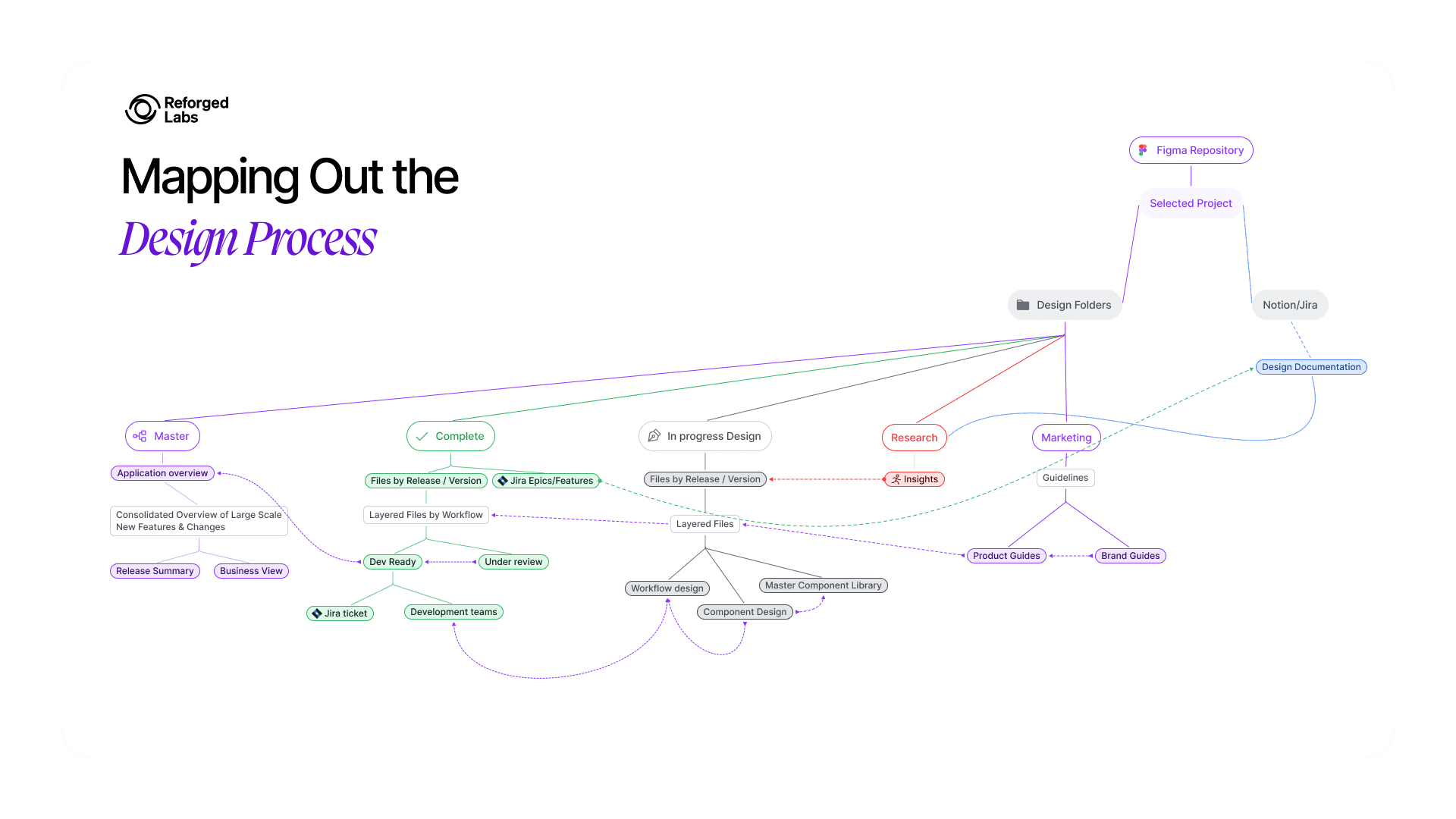

I first mapped how design work should move across research, exploration, implementation-ready design, documentation, and the Design System.
I first mapped how design work should move across research, exploration, implementation-ready design, documentation, and the Design System.
Instead of keeping all product work inside one Figma file, I separated the responsibilities of each space. I used the Design System as the foundation, while MCP helped bring system context closer to implementation acting as a practical bridge between design intent and development workflow, not magic automation.
Instead of keeping all product work inside one Figma file, I separated the responsibilities of each space. I used the Design System as the foundation, while MCP helped bring system context closer to implementation acting as a practical bridge between design intent and development workflow, not magic automation.

I first mapped how design work should move across research, exploration, implementation-ready design, documentation, and the Design System.
Instead of keeping all product work inside one Figma file, I separated the responsibilities of each space. I used the Design System as the foundation, while MCP helped bring system context closer to implementation acting as a practical bridge between design intent and development workflow, not magic automation.
Creating reusable workflow patterns
Creating reusable workflow patterns
Creating reusable workflow patterns
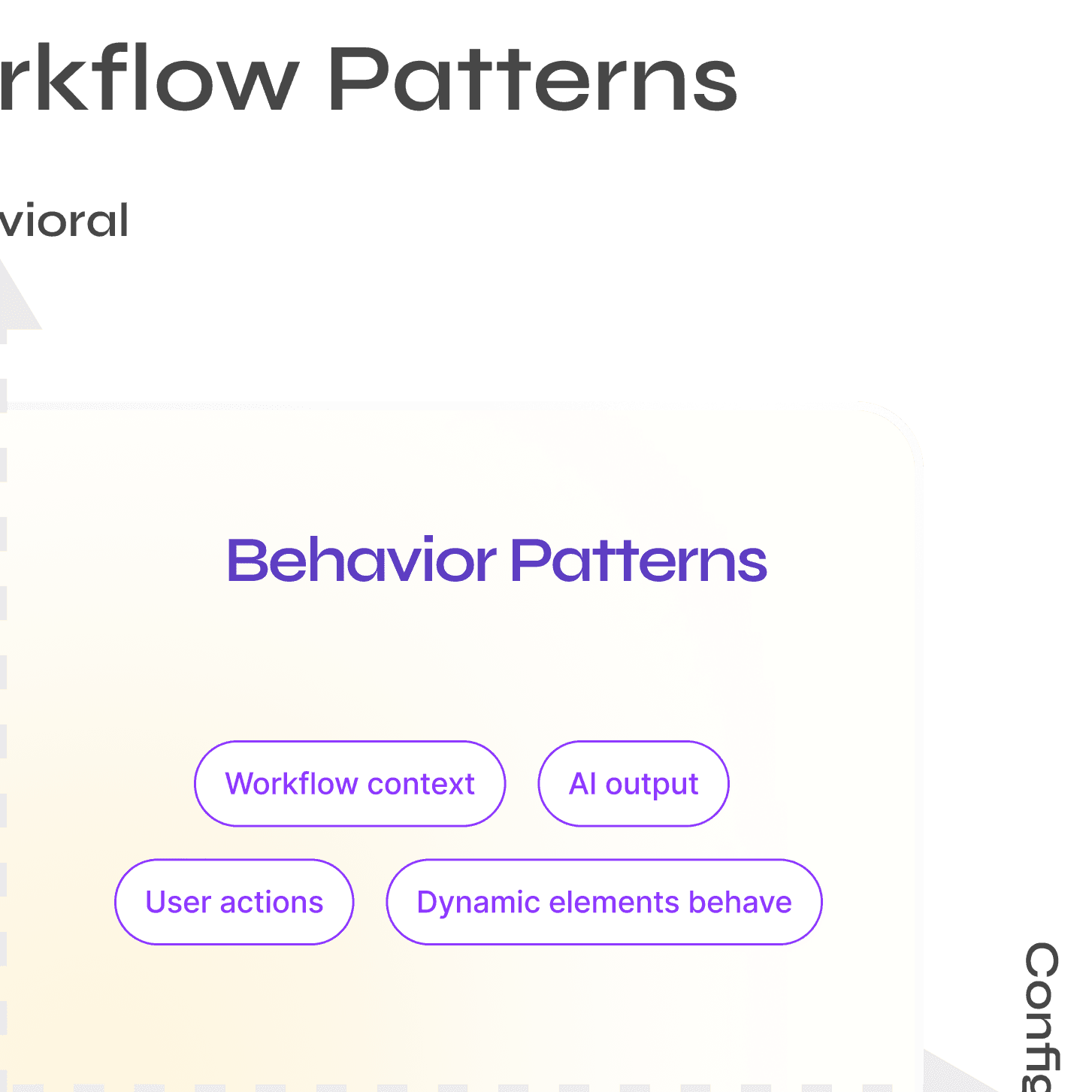
To make future AI features easier to design and scale, I moved from thinking only in screens and flows to thinking in reusable workflow patterns.
Instead of systemizing features as a single linear checklist, I mapped each workflow decision across two dimensions: Structural → Behavioral and Fixed → Configurable
This helped me clarify what should become part of the reusable system, what should remain flexible, and what needed documentation rather than a new component.
To make future AI features easier to design and scale, I moved from thinking only in screens and flows to thinking in reusable workflow patterns.
Instead of systemizing features as a single linear checklist, I mapped each workflow decision across two dimensions: Structural → Behavioral and Fixed → Configurable
This helped me clarify what should become part of the reusable system, what should remain flexible, and what needed documentation rather than a new component.
To make future AI features easier to design and scale, I moved from thinking only in screens and flows to thinking in reusable workflow patterns.
Instead of systemizing features as a single linear checklist, I mapped each workflow decision across two dimensions: Structural → Behavioral and Fixed → Configurable
This helped me clarify what should become part of the reusable system, what should remain flexible, and what needed documentation rather than a new component.




Result
Result
Result
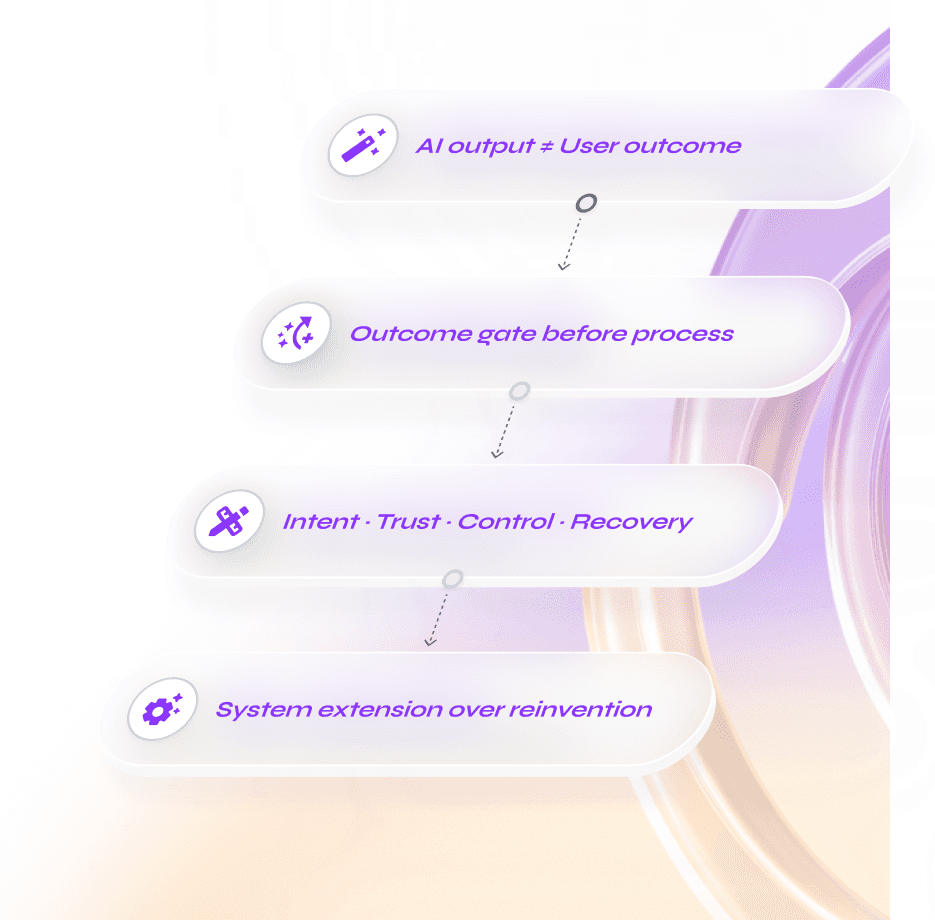
"Use AI to accelerate output.
Use design judgment to create outcomes."
Core Principle


I did not evaluate the design based only on visual preference. I looked at both user and delivery outcomes.
I did not evaluate the design based only on visual preference. I looked at both user and delivery outcomes.
I did not evaluate the design based only on visual preference. I looked at both user and delivery outcomes.

0:00/1:34

What changed
For users, the workflow created a clearer path from AI output to action.
For the product team, it created a more deliberate way to decide which ideas should remain experiments and which should become reusable patterns.
For engineering, it clarified behavior, states, and exceptions earlier in the process, making implementation easier to understand and maintain.
What changed
For users, the workflow created a clearer path from AI output to action.
For the product team, it created a more deliberate way to decide which ideas should remain experiments and which should become reusable patterns.
For engineering, it clarified behavior, states, and exceptions earlier in the process, making implementation easier to understand and maintain.
What changed
For users, the workflow created a clearer path from AI output to action.
For the product team, it created a more deliberate way to decide which ideas should remain experiments and which should become reusable patterns.
For engineering, it clarified behavior, states, and exceptions earlier in the process, making implementation easier to understand and maintain.
"Use AI to accelerate output.
Use design judgment to create outcomes."
AI
exploration
Human judgment
Core Principle


